Vulkan API is the successor of OpenGL the cross platform api standard for hardware accelerated 3D graphics. It is a cross platform alternative to DirectX which is windows specific only.
All major gpu vendors including nvidia, amd and intel provide vulkan support either through their own drivers or via the Mesa graphics library. In this post we take a look at how to check whether vulkan api is supported on a system.
Install graphics drivers
First install the latest drivers for your graphics card, whether its nvidia, amd or intel. For Intel and AMD Radeon / Vega integrated gpus linux will automatically provide the drivers.
For discrete Nvidia graphics cards you need to install the nvidia proprietary drivers. Check out this post:
How to Install Nvidia Drivers on Kubuntu / Ubuntu 23.04 / Linux MintVulkanInfo
The vulkaninfo command comes from the vulkan-tools package which is available in Ubuntu repositories.
sudo apt install vulkan-tools
Here is a list of packages installed on my system related to vulkan library.
silver@ubuntussd:~$ aptitude search ~ivulkan
i A libvulkan1                                                                                        - Vulkan loader library
i A libvulkan1:i386                                                                                   - Vulkan loader library
i A mesa-vulkan-drivers                                                                               - Mesa Vulkan graphics drivers
i A mesa-vulkan-drivers:i386                                                                          - Mesa Vulkan graphics drivers
i   vulkan-tools                                                                                      - Miscellaneous Vulkan utilities
silver@ubuntussd:~$
Now lets test the command on a couple of machine that i use.
Asus TUF A17 Laptop - RTX 3060 Mobile + AMD Vega (5800H) (Ubuntu 23.04)
This laptop has 2 gpus:
- Discrete Nvidia RTX 3060 Laptop GPU
- AMD Radeon Vega Integrated GPU / 5800H cpu
Running the vulkaninfo command with the --summary option shows the following output.
silver@ubuntussd:~$ vulkaninfo --summary
==========
VULKANINFO
==========

Vulkan Instance Version: 1.3.239


Instance Extensions: count = 21
-------------------------------
VK_EXT_acquire_drm_display             : extension revision 1
VK_EXT_acquire_xlib_display            : extension revision 1
VK_EXT_debug_report                    : extension revision 10
VK_EXT_debug_utils                     : extension revision 2
VK_EXT_direct_mode_display             : extension revision 1
VK_EXT_display_surface_counter         : extension revision 1
VK_EXT_swapchain_colorspace            : extension revision 4
VK_KHR_device_group_creation           : extension revision 1
VK_KHR_display                         : extension revision 23
VK_KHR_external_fence_capabilities     : extension revision 1
VK_KHR_external_memory_capabilities    : extension revision 1
VK_KHR_external_semaphore_capabilities : extension revision 1
VK_KHR_get_display_properties2         : extension revision 1
VK_KHR_get_physical_device_properties2 : extension revision 2
VK_KHR_get_surface_capabilities2       : extension revision 1
VK_KHR_portability_enumeration         : extension revision 1
VK_KHR_surface                         : extension revision 25
VK_KHR_surface_protected_capabilities  : extension revision 1
VK_KHR_wayland_surface                 : extension revision 6
VK_KHR_xcb_surface                     : extension revision 6
VK_KHR_xlib_surface                    : extension revision 6

Instance Layers: count = 8
--------------------------
VK_LAYER_INTEL_nullhw             INTEL NULL HW                1.1.73   version 1
VK_LAYER_MESA_device_select       Linux device selection layer 1.3.211  version 1
VK_LAYER_MESA_overlay             Mesa Overlay layer           1.3.211  version 1
VK_LAYER_NV_optimus               NVIDIA Optimus layer         1.3.224  version 1
VK_LAYER_VALVE_steam_fossilize_32 Steam Pipeline Caching Layer 1.3.207  version 1
VK_LAYER_VALVE_steam_fossilize_64 Steam Pipeline Caching Layer 1.3.207  version 1
VK_LAYER_VALVE_steam_overlay_32   Steam Overlay Layer          1.3.207  version 1
VK_LAYER_VALVE_steam_overlay_64   Steam Overlay Layer          1.3.207  version 1

Devices:
========
GPU0:
        apiVersion         = 1.3.238
        driverVersion      = 23.0.2
        vendorID           = 0x1002
        deviceID           = 0x1638
        deviceType         = PHYSICAL_DEVICE_TYPE_INTEGRATED_GPU
        deviceName         = AMD Radeon Graphics (RADV RENOIR)
        driverID           = DRIVER_ID_MESA_RADV
        driverName         = radv
        driverInfo         = Mesa 23.0.2
        conformanceVersion = 1.2.7.1
        deviceUUID         = 00000000-0500-0000-0000-000000000000
        driverUUID         = 414d442d-4d45-5341-2d44-525600000000
GPU1:
        apiVersion         = 1.3.224
        driverVersion      = 525.105.17.64
        vendorID           = 0x10de
        deviceID           = 0x2520
        deviceType         = PHYSICAL_DEVICE_TYPE_DISCRETE_GPU
        deviceName         = NVIDIA GeForce RTX 3060 Laptop GPU
        driverID           = DRIVER_ID_NVIDIA_PROPRIETARY
        driverName         = NVIDIA
        driverInfo         = 525.105.17
        conformanceVersion = 1.3.3.1
        deviceUUID         = 671f70f9-b891-8e89-7ec9-5a64ef1869cf
        driverUUID         = 687c1c60-5b70-5d09-820e-384e13380432
GPU2:
        apiVersion         = 1.3.238
        driverVersion      = 0.0.1
        vendorID           = 0x10005
        deviceID           = 0x0000
        deviceType         = PHYSICAL_DEVICE_TYPE_CPU
        deviceName         = llvmpipe (LLVM 15.0.7, 256 bits)
        driverID           = DRIVER_ID_MESA_LLVMPIPE
        driverName         = llvmpipe
        driverInfo         = Mesa 23.0.2 (LLVM 15.0.7)
        conformanceVersion = 1.3.1.1
        deviceUUID         = 6d657361-3233-2e30-2e32-000000000000
        driverUUID         = 6c6c766d-7069-7065-5555-494400000000
silver@ubuntussd:~$
Check the Devices section. Both Nvidia and AMD gpu drivers support vulkan. Note that the amd gpu supports vulkan api via the mesa 3d library, whereas nvidia gpu has its own implementation of the vulkan api.
Driver ICD location: The ICD (Installable Client Driver) files for vulkan are stored in the location: /usr/share/vulkan/icd.d/
~$ ls -la /usr/share/vulkan/icd.d/
total 44
drwxr-xr-x 2 root root 4096 May 17 19:25 .
drwxr-xr-x 5 root root 4096 Apr 15 04:59 ..
-rw-r--r-- 1 root root  167 Apr 12 12:54 intel_hasvk_icd.i686.json
-rw-r--r-- 1 root root  169 Apr 12 12:54 intel_hasvk_icd.x86_64.json
-rw-r--r-- 1 root root  161 Apr 12 12:54 intel_icd.i686.json
-rw-r--r-- 1 root root  163 Apr 12 12:54 intel_icd.x86_64.json
-rw-r--r-- 1 root root  159 Apr 12 12:54 lvp_icd.i686.json
-rw-r--r-- 1 root root  161 Apr 12 12:54 lvp_icd.x86_64.json
-rw-r--r-- 1 root root  140 Mar 27 16:59 nvidia_icd.json
-rw-r--r-- 1 root root  162 Apr 12 12:54 radeon_icd.i686.json
-rw-r--r-- 1 root root  164 Apr 12 12:54 radeon_icd.x86_64.json
silver@ubuntussd:~$
silver@ubuntussd:~$ cat /usr/share/vulkan/icd.d/nvidia_icd.json
{
    "file_format_version" : "1.0.0",
    "ICD": {
        "library_path": "libGLX_nvidia.so.0",
        "api_version" : "1.3.224"
    }
}
silver@ubuntussd:~$
silver@ubuntussd:~$ cat /usr/share/vulkan/icd.d/radeon_icd.x86_64.json
{
    "ICD": {
        "api_version": "1.3.238",
        "library_path": "/usr/lib/x86_64-linux-gnu/libvulkan_radeon.so"
    },
    "file_format_version": "1.0.0"
}silver@ubuntussd:~$
Benchmark and Test Vulkan
Run the vkcube command (from the vulkan-tools package) which will popup a window and render a animated rotating cube, all using the vulkan api.
$ vkcube --width 1024 --height 768
Selected GPU 1: NVIDIA GeForce RTX 3060 Laptop GPU, type: DiscreteGpu
The vkcube command automatically selects the nvidia gpu which is a smart decision.
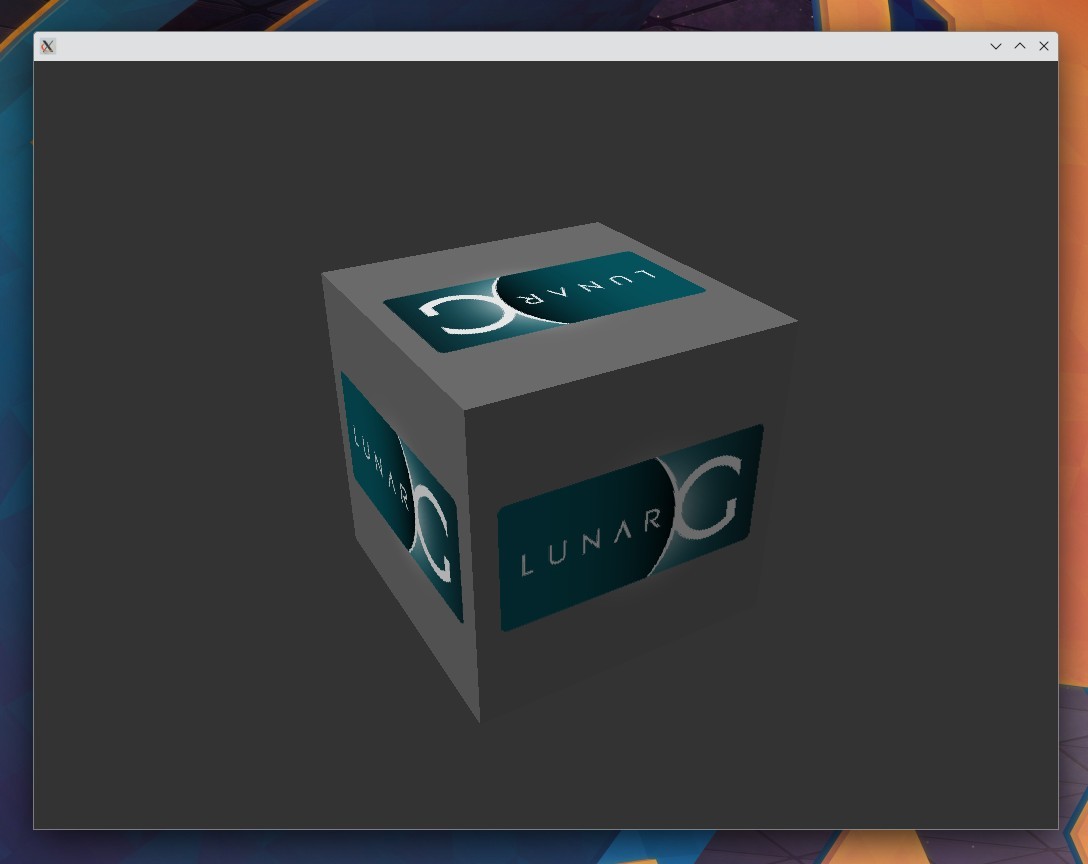
VKCube on Kubuntu 23.04 with Nvidia RTX 3060
To test the performance of the vulkan driver you can play some free games from Steam that run natively on linux using vulkan api. These include Dota 2 and Counter Strike: Global Offensive.
If the games run properly like they do on my laptop, then vulkan drivers are working fine with the gpu. Note the fps count using Steam inbuilt overlay to measure the performance of your particular gpu with the vulkan api.
2. Acer Swift 3 Laptop with Intel Iris Xe iGPU
This is an acer swift 3 laptop with i5-1135G7 cpu and Iris Xe integrated gpu. The exact model names are these:
Model name:
11th Gen Intel(R) Core(TM) i5-1135G7 @ 2.40GHz
VGA compatible controller [0300]:
Intel Corporation TigerLake-LP GT2 [Iris Xe Graphics] [8086:9a49] (rev 01)
This system is running Ubuntu 22.10 and the output of vulkaninfo shows this.
acerlight@acerlight-laptop:~$ vulkaninfo --summary
==========
VULKANINFO
==========

Vulkan Instance Version: 1.3.224


Instance Extensions: count = 20
-------------------------------
VK_EXT_acquire_drm_display             : extension revision 1
VK_EXT_acquire_xlib_display            : extension revision 1
VK_EXT_debug_report                    : extension revision 10
VK_EXT_debug_utils                     : extension revision 2
VK_EXT_direct_mode_display             : extension revision 1
VK_EXT_display_surface_counter         : extension revision 1
VK_KHR_device_group_creation           : extension revision 1
VK_KHR_display                         : extension revision 23
VK_KHR_external_fence_capabilities     : extension revision 1
VK_KHR_external_memory_capabilities    : extension revision 1
VK_KHR_external_semaphore_capabilities : extension revision 1
VK_KHR_get_display_properties2         : extension revision 1
VK_KHR_get_physical_device_properties2 : extension revision 2
VK_KHR_get_surface_capabilities2       : extension revision 1
VK_KHR_portability_enumeration         : extension revision 1
VK_KHR_surface                         : extension revision 25
VK_KHR_surface_protected_capabilities  : extension revision 1
VK_KHR_wayland_surface                 : extension revision 6
VK_KHR_xcb_surface                     : extension revision 6
VK_KHR_xlib_surface                    : extension revision 6

Instance Layers: count = 7
--------------------------
VK_LAYER_INTEL_nullhw             INTEL NULL HW                1.1.73   version 1
VK_LAYER_MESA_device_select       Linux device selection layer 1.3.211  version 1
VK_LAYER_MESA_overlay             Mesa Overlay layer           1.3.211  version 1
VK_LAYER_VALVE_steam_fossilize_32 Steam Pipeline Caching Layer 1.2.136  version 1
VK_LAYER_VALVE_steam_fossilize_64 Steam Pipeline Caching Layer 1.2.136  version 1
VK_LAYER_VALVE_steam_overlay_32   Steam Overlay Layer          1.2.136  version 1
VK_LAYER_VALVE_steam_overlay_64   Steam Overlay Layer          1.2.136  version 1

Devices:
========
GPU0:
        apiVersion         = 4206816 (1.3.224)
        driverVersion      = 92282885 (0x5802005)
        vendorID           = 0x8086
        deviceID           = 0x9a49
        deviceType         = PHYSICAL_DEVICE_TYPE_INTEGRATED_GPU
        deviceName         = Intel(R) Xe Graphics (TGL GT2)
        driverID           = DRIVER_ID_INTEL_OPEN_SOURCE_MESA
        driverName         = Intel open-source Mesa driver
        driverInfo         = Mesa 22.2.5
        conformanceVersion = 1.3.0.0
        deviceUUID         = ff258cf4-4865-a82b-e58f-77bffa8e3040
        driverUUID         = bb1fb619-2f58-f756-9577-c140947c997e
GPU1:
        apiVersion         = 4206816 (1.3.224)
        driverVersion      = 1 (0x0001)
        vendorID           = 0x10005
        deviceID           = 0x0000
        deviceType         = PHYSICAL_DEVICE_TYPE_CPU
        deviceName         = llvmpipe (LLVM 15.0.2, 256 bits)
        driverID           = DRIVER_ID_MESA_LLVMPIPE
        driverName         = llvmpipe
        driverInfo         = Mesa 22.2.5 (LLVM 15.0.2)
        conformanceVersion = 1.3.1.1
        deviceUUID         = 6d657361-3232-2e32-2e35-000000000000
        driverUUID         = 6c6c766d-7069-7065-5555-494400000000
acerlight@acerlight-laptop:~$
Intel Iris Xe does support vulkan api on ubuntu via the mesa 3d library.
Running vkcube confirms vulkan compatibility
acerlight@acerlight-laptop:~$ vkcube --width 1024 --height 768
Selected GPU 0: Intel(R) Xe Graphics (TGL GT2), type: IntegratedGpu
It selects the Intel Iris XE integrated gpu for vulkan rendering.
3. Desktop - Intel i5-7400 Integrated GPU (Ubuntu 23.04)
This is a desktop machine with the i5-7400 cpu and integrated graphics.
$ vulkaninfo --summary
==========
VULKANINFO
==========

Vulkan Instance Version: 1.3.239


Instance Extensions: count = 21
-------------------------------
VK_EXT_acquire_drm_display             : extension revision 1
VK_EXT_acquire_xlib_display            : extension revision 1
VK_EXT_debug_report                    : extension revision 10
VK_EXT_debug_utils                     : extension revision 2
VK_EXT_direct_mode_display             : extension revision 1
VK_EXT_display_surface_counter         : extension revision 1
VK_EXT_swapchain_colorspace            : extension revision 4
VK_KHR_device_group_creation           : extension revision 1
VK_KHR_display                         : extension revision 23
VK_KHR_external_fence_capabilities     : extension revision 1
VK_KHR_external_memory_capabilities    : extension revision 1
VK_KHR_external_semaphore_capabilities : extension revision 1
VK_KHR_get_display_properties2         : extension revision 1
VK_KHR_get_physical_device_properties2 : extension revision 2
VK_KHR_get_surface_capabilities2       : extension revision 1
VK_KHR_portability_enumeration         : extension revision 1
VK_KHR_surface                         : extension revision 25
VK_KHR_surface_protected_capabilities  : extension revision 1
VK_KHR_wayland_surface                 : extension revision 6
VK_KHR_xcb_surface                     : extension revision 6
VK_KHR_xlib_surface                    : extension revision 6

Instance Layers: count = 7
--------------------------
VK_LAYER_INTEL_nullhw             INTEL NULL HW                1.1.73   version 1
VK_LAYER_MESA_device_select       Linux device selection layer 1.3.211  version 1
VK_LAYER_MESA_overlay             Mesa Overlay layer           1.3.211  version 1
VK_LAYER_VALVE_steam_fossilize_32 Steam Pipeline Caching Layer 1.2.136  version 1
VK_LAYER_VALVE_steam_fossilize_64 Steam Pipeline Caching Layer 1.2.136  version 1
VK_LAYER_VALVE_steam_overlay_32   Steam Overlay Layer          1.2.136  version 1
VK_LAYER_VALVE_steam_overlay_64   Steam Overlay Layer          1.2.136  version 1

Devices:
========
GPU0:
        apiVersion         = 1.3.238
        driverVersion      = 23.0.2
        vendorID           = 0x8086
        deviceID           = 0x5912
        deviceType         = PHYSICAL_DEVICE_TYPE_INTEGRATED_GPU
        deviceName         = Intel(R) HD Graphics 630 (KBL GT2)
        driverID           = DRIVER_ID_INTEL_OPEN_SOURCE_MESA
        driverName         = Intel open-source Mesa driver
        driverInfo         = Mesa 23.0.2
        conformanceVersion = 1.3.0.0
        deviceUUID         = 3d66cc64-e5ae-b8ae-6ace-fd9b9305a9f1
        driverUUID         = 9bb8225e-db2e-6a20-282d-526794955fa9
GPU1:
        apiVersion         = 1.3.238
        driverVersion      = 0.0.1
        vendorID           = 0x10005
        deviceID           = 0x0000
        deviceType         = PHYSICAL_DEVICE_TYPE_CPU
        deviceName         = llvmpipe (LLVM 15.0.7, 256 bits)
        driverID           = DRIVER_ID_MESA_LLVMPIPE
        driverName         = llvmpipe
        driverInfo         = Mesa 23.0.2 (LLVM 15.0.7)
        conformanceVersion = 1.3.1.1
        deviceUUID         = 6d657361-3233-2e30-2e32-000000000000
        driverUUID         = 6c6c766d-7069-7065-5555-494400000000
$
In the above output we can see that the Intel HD Graphics integrated gpu supports vulkan on Ubuntu via the Mesa drivers.
Driver ICD location: The ICD (Installable Client Driver) files for vulkan are stored in the location: /usr/share/vulkan/icd.d/
$ ls -la /usr/share/vulkan/icd.d/
total 40
drwxr-xr-x 2 root root 4096 May  4 21:20 .
drwxr-xr-x 6 root root 4096 Sep  1  2020 ..
-rw-r--r-- 1 root root  167 Apr 12 12:54 intel_hasvk_icd.i686.json
-rw-r--r-- 1 root root  169 Apr 12 12:54 intel_hasvk_icd.x86_64.json
-rw-r--r-- 1 root root  161 Apr 12 12:54 intel_icd.i686.json
-rw-r--r-- 1 root root  163 Apr 12 12:54 intel_icd.x86_64.json
-rw-r--r-- 1 root root  159 Apr 12 12:54 lvp_icd.i686.json
-rw-r--r-- 1 root root  161 Apr 12 12:54 lvp_icd.x86_64.json
-rw-r--r-- 1 root root  162 Apr 12 12:54 radeon_icd.i686.json
-rw-r--r-- 1 root root  164 Apr 12 12:54 radeon_icd.x86_64.json
$
Path of driver file: The json file will contain the path to the driver file.
$ cat /usr/share/vulkan/icd.d/intel_icd.x86_64.json
{
    "ICD": {
        "api_version": "1.3.238",
        "library_path": "/usr/lib/x86_64-linux-gnu/libvulkan_intel.so"
    },
    "file_format_version": "1.0.0"
}
$
Gives the path of the vulkan driver file, which in this case is: /usr/lib/x86_64-linux-gnu/libvulkan_intel.so
Now run the vkcube test program and it will show which gpu is being used to render vulkan based graphics
vkcube
Links and Resources
Article for ArchLinux wiki discussing Vulkan in details:
https://wiki.archlinux.org/title/Vulkan
